We can easily implement Advanced noCaptcha reCaptcha in Contact form 7
How to Configure:
1. Remove google keys (if any) from Dashboard > Contact > Integration > reCAPTCHA
2. Go to Dashboard > Contact > Contact Forms
Mouse over your form where you want to implement. Then click “Edit”
Then add [anr_nocaptcha g-recaptcha-response] and “Save”
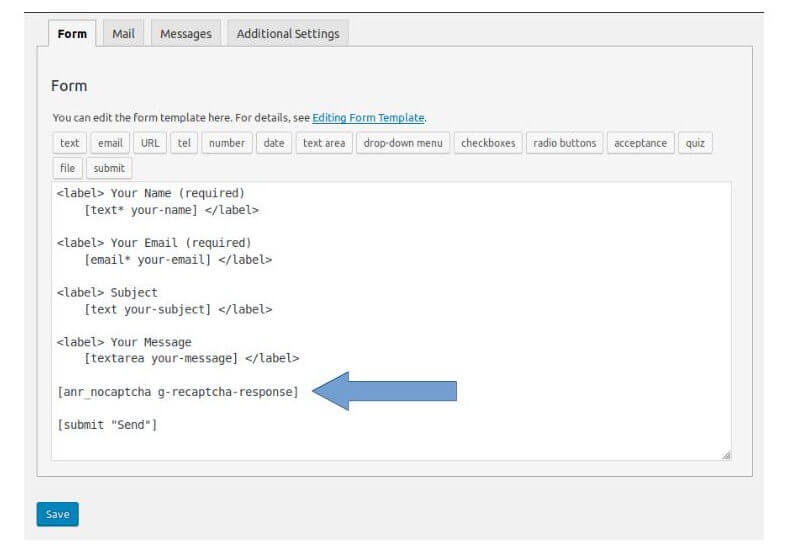
If you are using “Hide Captcha for logged in users?” option please add following code in your themes (child theme’s if you are using) functions.php
add_filter( 'wpcf7_verify_nonce', '__return_true' );
add_filter( 'wpcf7_spam', '__return_false' );